Gmail Made Simple cover — Aurelle Digital Google collection, practical guide.
Google / Practical guide

Tame Your Gmail

A calm, practical system for processing email, finding messages and keeping Gmail under control.

First Edition / 2026

PDF · 32 pages · Immediate secure download via customer library after purchase. · Personal use. Single-user licence.

£20
Buy Now

Secure checkout via Stripe

VisaMastercardApple PayGoogle Pay

Instant access after payment · Secure customer library · Personal-use licence

A clearer way to process email calmly, find messages fast and keep Gmail under control.

The problem. Your Gmail inbox is overflowing, important messages get buried, and you can never find the one you need — so email has become a daily source of stress.

The promise. This guide gives you a calm, practical system for processing every message, finding anything fast and keeping the noise from rebuilding.

What you'll be able to do

After working through the guide, you'll be able to:

  1. 01Decide what the inbox is for with one guiding rule
  2. 02Process every message with one of four clear decisions
  3. 03Archive finished mail so it stays findable without cluttering the inbox
  4. 04Build a small label system that supports retrieval
  5. 05Search Gmail effectively using sender, date, attachment and status terms
  6. 06Protect against phishing with independent verification habits
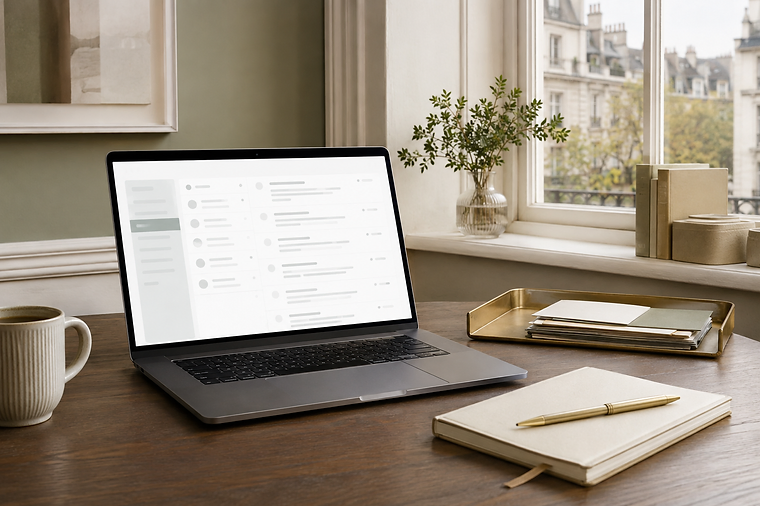
A laptop on a warm wooden desk showing a clean Gmail inbox, beside a notebook, pen and coffee cup, with a Paris street view through the window.
About this guide

A calm, practical system for getting Gmail under control without chasing inbox zero. Learn how to process email deliberately, use labels without creating a maze, build safer filters, find messages with search, write clearer emails, manage attachments and Drive links, reduce notifications and promotions, recognise phishing, protect your Google Account and troubleshoot missing mail. Version 1.1 adds the Aurelle Gmail Control Check, two applied decision guides and the Calm 15-Minute Gmail Reset for dealing with overloaded inboxes and missing messages more confidently.

Look inside

Tame Your Gmail — Contents
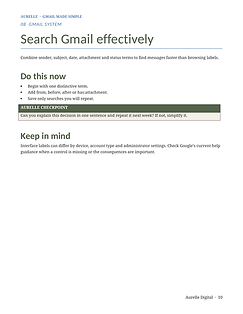
Tame Your Gmail — Search Gmail
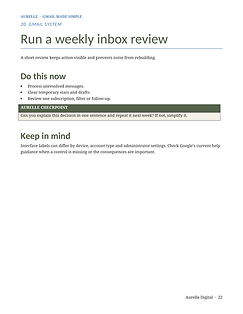
Tame Your Gmail — Weekly Inbox Review

Not sure yet? Look inside first.

Complimentary five-page sample including the opening principles and two complete sections: deciding what the inbox is for and protecting against phishing.

What is inside

  1. 01 Decide what the inbox is for
  2. 02 Understand Gmail's main areas
  3. 03 Make the inbox easier to scan
  4. 04 Process messages with four decisions
  5. 05 Archive instead of keeping everything visible
  6. 06 Use stars and importance sparingly
  7. 07 Build a small label system
  8. 08 Search Gmail effectively
  9. 09 Write clearer email
  10. 10 Manage replies and conversations
  11. 11 Use drafts, scheduling and undo send
  12. 12 Reduce newsletters and promotional mail
  13. 13 Create filters carefully
  14. 14 Protect against phishing
  15. 15 Review forwarding and delegates
  16. 16 Handle attachments safely
  17. 17 Use Gmail on phone and computer
  18. 18 Manage storage and old mail
  19. 19 Recover missing or deleted messages
  20. 20 Run a weekly inbox review
  21. Quick reference · Five printable tools

Who it is for

Anyone who uses Gmail personally or professionally and wants a calmer, more reliable inbox system without complicated rules or technical setup.

Who it may not be for

Readers seeking enterprise Gmail administration, workspace management, or deep technical configuration — this guide focuses on practical personal inbox habits.

What you receive

Format
PDF
Pages
32
Edition
First edition · August 2026
Access
Immediate secure download via customer library after purchase.
Licence
Personal use. Single-user licence.
Published
3 September 2026
Updated
26 September 2026

Requirements: Readable on any device. Printable tools designed for A4 or US Letter.

Included files:
  • Gmail_Made_Simple_Aurelle_Digital_v1-1.pdf

Updates: Free updates to the same edition.

Questions About This Guide
Does this work with a Google Workspace account?

Yes. The guide covers Gmail principles that apply to both personal Gmail and Workspace accounts. Some interface labels differ in Workspace; the guide notes where to check Google's current help guidance.

Do I need to read it in order?

No. Work through it in order for a complete reset, or turn to the section causing the most friction. The quick reference card at the back summarises the key habits.

Will it still be useful after a Gmail update?

The guide covers principles and decisions that have remained stable across many Gmail versions. It notes that interface labels change occasionally and recommends checking Google's current guidance when a specific control is missing.

What are the five printable tools?

Gmail home map, folder structure plan, file naming guide, sharing permission review, and weekly Gmail review. Each is a single working sheet designed to be printed and filled in.

Is this about archiving everything or deleting everything?

Neither extreme. The guide recommends archiving finished messages so they remain searchable, and deleting only mail you genuinely no longer need. The section on storage and old mail covers how to review safely before bulk deletions.

Is Aurelle Digital affiliated with Google?

No. Aurelle Digital is an independent publisher. This guide is not affiliated with or endorsed by Google LLC.

Get Tame Your Gmail

Your Gmail inbox is overwhelming and you can never find the message you need. A calm, practical system for processing email, finding messages and keeping Gmail under control.

Tame Your Gmail

32-page digital guide
Instant customer-library access

£20
Buy now

Secure checkout via Stripe · Immediate access after payment

Still Need Help?

Prefer personalised technology guidance?

If you are struggling with a specific setup on your phone, computer, Google account or AI tool, get personalised, plain-English help with one defined question — without needing to book a call.

Related Reading