
Make Sense of iCloud
You're confused about what syncs, what's backed up, where your storage goes and where things actually live. Understand syncing, backups, storage and where your things actually live in iCloud.

Free up space, organise your photos and take control of your iPhone storage—without losing what matters.
First Edition / 2026
PDF · 32 pages · Instant secure download from your Aurelle Digital library after purchase. · Personal-use licence. You may save the guide to your own devices and print one personal copy. You may not resell, redistribute, publish or supply the guide or worksheets as a product, database, course or service.
Secure checkout via Stripe
Instant access after payment · Secure customer library · Personal-use licence
The problem. Your iPhone keeps warning that storage is almost full — you can't take photos, download files or install updates — and you're worried that deleting things will lose photos, messages or files you actually wanted to keep.
The promise. This guide shows you exactly what's using your space and walks you through a safe, 30-minute rescue that frees up room without losing what matters.
After working through the guide, you'll be able to:

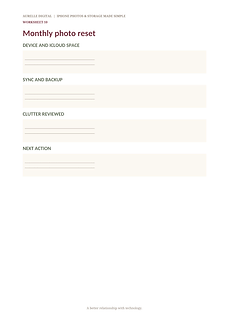
A calm, practical guide to reclaiming iPhone space without turning a storage problem into a data-loss problem. Understand device storage, iCloud storage and iCloud Photos; identify what is actually using space; reduce photo and video storage safely; manage duplicates and screenshots; protect irreplaceable photos; maintain an independent archive; and build a simple monthly storage routine. Version 1.1 adds the Aurelle Storage Rescue Check, two applied decision guides and the Calm 15-Minute Storage Rescue for times when storage is running critically low.


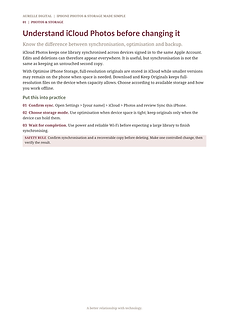
A complimentary five-page sample containing the photo-and-storage map and the complete iCloud Photos chapter.
iPhone owners whose storage is full or nearly full, particularly anyone unable to take photos, download files or install updates and worried about deleting something important.
People seeking recovery of already-lost data, damaged-device repair, forensic recovery or a guaranteed way to restore permanently deleted files.
Requirements: iPhone running iOS 17 or later. A Mac or external drive is helpful for an independent backup but is not required.
Updates: Free updates to this first edition; future editions may be released separately.
No. This is a practical guide to managing and protecting your library going forward. It does not perform data recovery.
No. Aurelle Digital is independent and not affiliated with, endorsed by or sponsored by Apple Inc. iPhone and iCloud are trademarks of Apple Inc.
Yes. The sections on device storage, exporting originals and keeping an independent backup apply whether or not you use iCloud Photos.
Your iPhone keeps saying storage is full and you're worried about deleting photos, messages or files you wanted to keep. Free up space, organise your photos and take control of your iPhone storage — without losing what matters.
32-page digital guide
Instant customer-library access
Secure checkout via Stripe · Immediate access after payment

You're confused about what syncs, what's backed up, where your storage goes and where things actually live. Understand syncing, backups, storage and where your things actually live in iCloud.

Your Apple Account, devices, iCloud and settings are scattered and you want one trusted reference. One calm, practical reference for your Apple Account, devices, iCloud and the settings that matter.
We use strictly necessary cookies for basket, checkout and account. We only load Google Analytics if you allow it. See our Cookie Policy.